Write the adventure. Run it from one screen.
Start with an idea or your own notes. DM Console drafts a short adventure. You read it, change what you want and keep it. Then you have a guide to read and print, and a console to run it from, online or off.
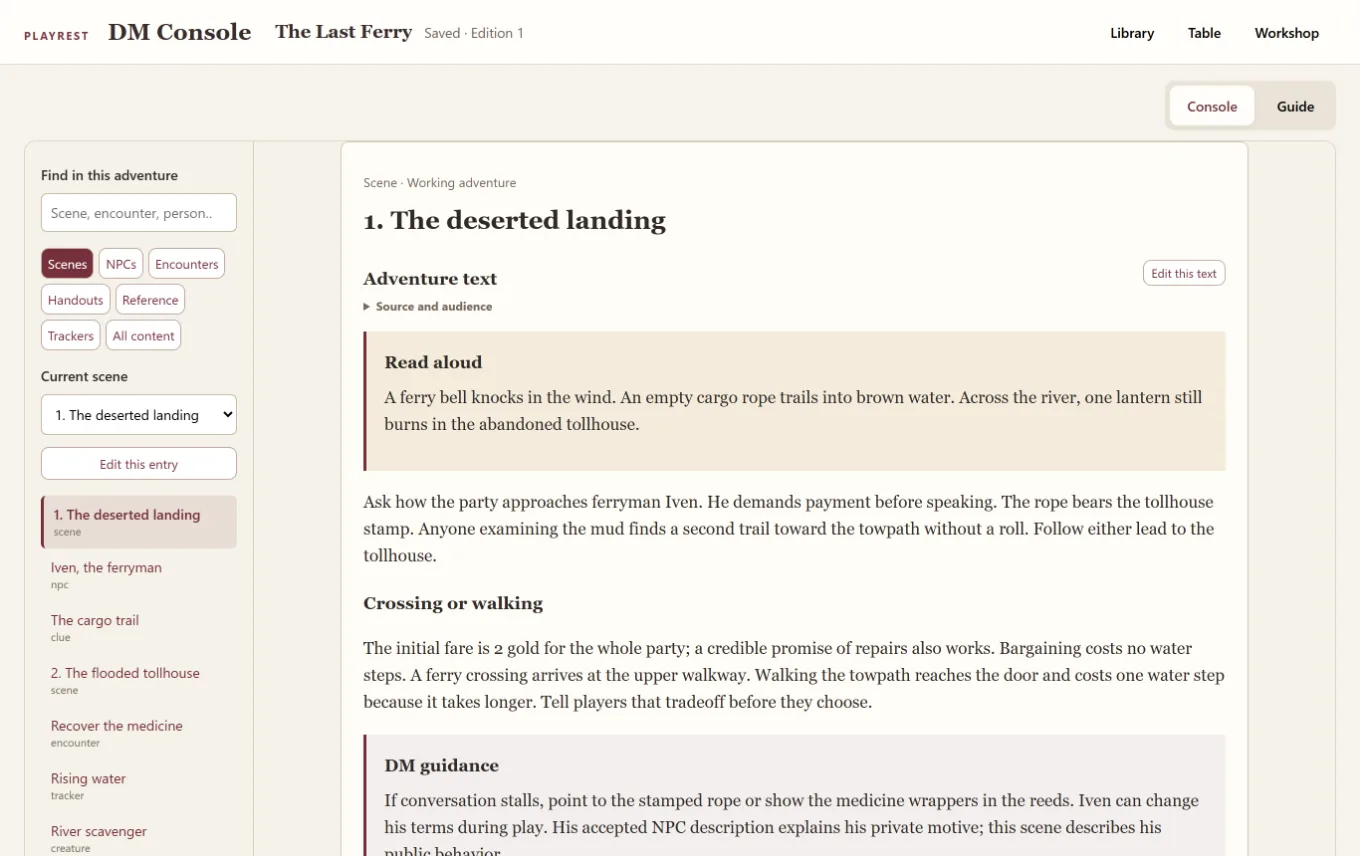
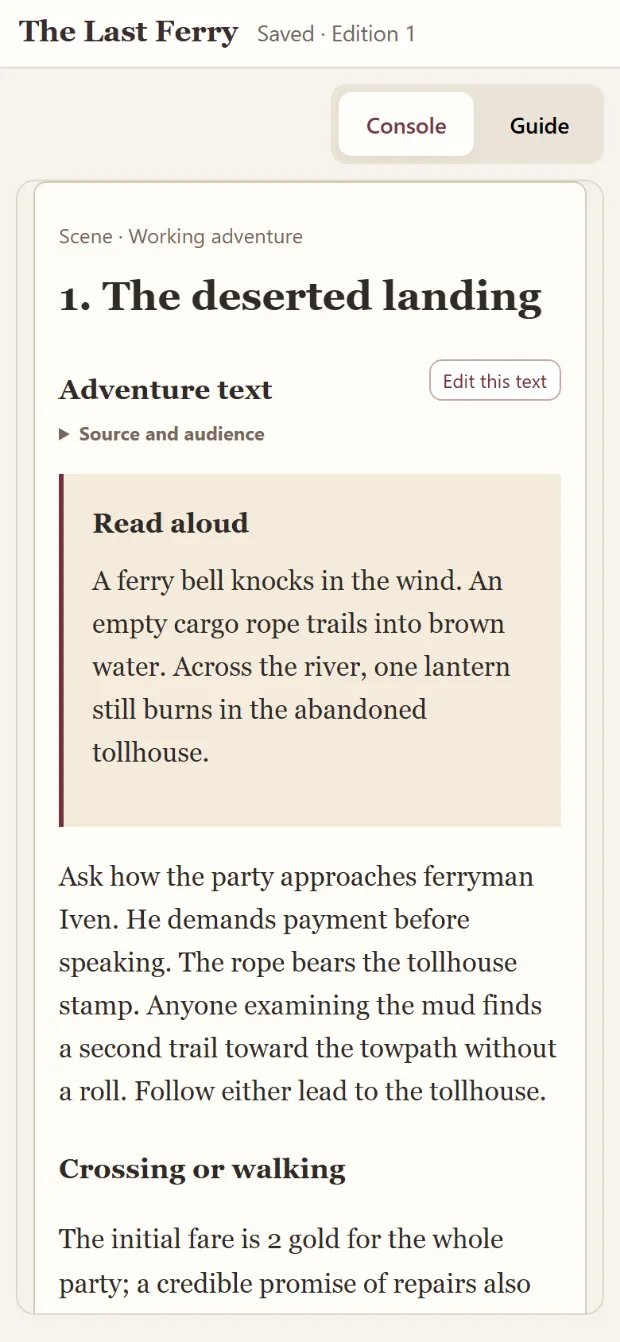
DM Console running The Last Ferry, on a laptop and a phone.
One adventure, three ways to use it.
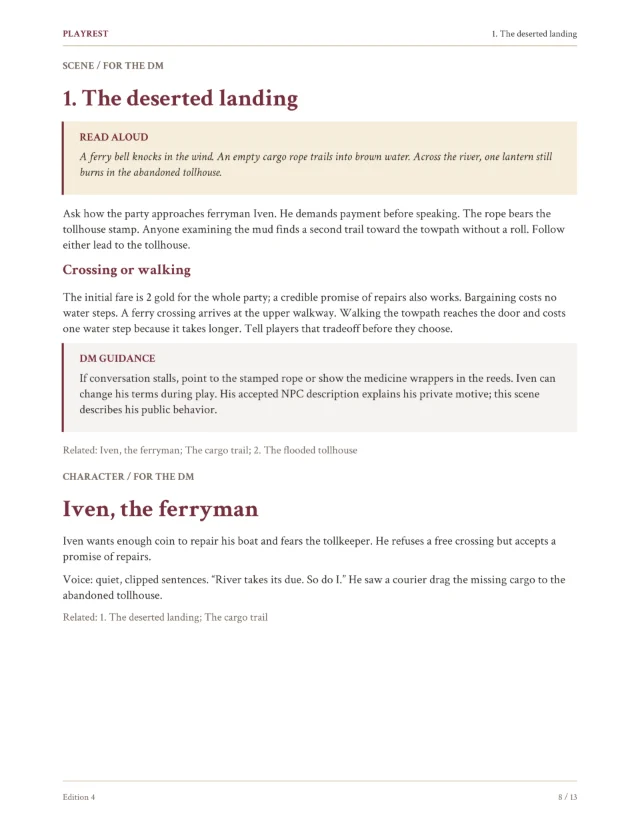
A guide to read and print
A typeset PDF with a cover, contents, running heads, page numbers and bookmarks. Read-aloud text and DM guidance are boxed so you can find them mid-scene.
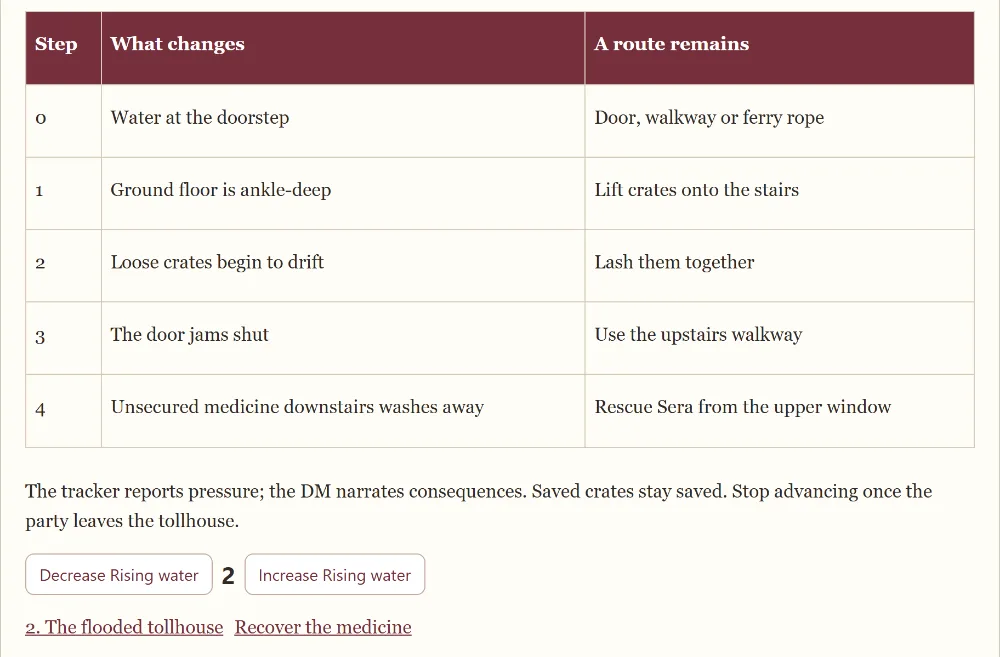
A console to run it from
Find any scene, person, clue or encounter. Keep notes and move trackers as you play. Save it as one file and it runs with no connection.
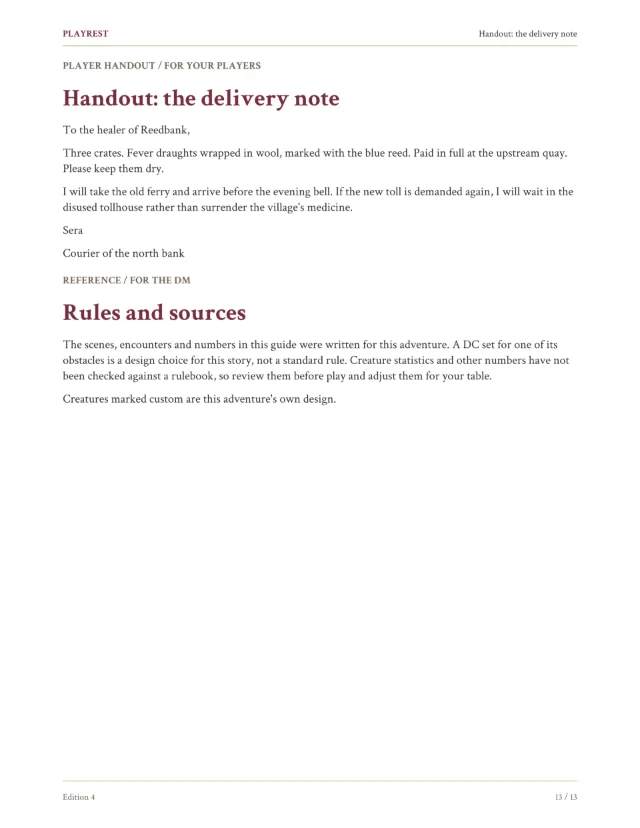
Handouts for your players
Preview and export only what you want to share. The rest of the guide stays with you.
The Last Ferry. Run it here.
Change one thing. The rest stays.
Ask in plain words: make the ferryman secretly helpful. DM Console shows you the passages it would rewrite. You read them, then keep them or throw them out. Until you keep a change, your saved guide and console stay as they were.
Or open a passage and type your own wording.
Rename a scene and your session stays saved: notes, reveals, finished encounters and tracker values carry over.
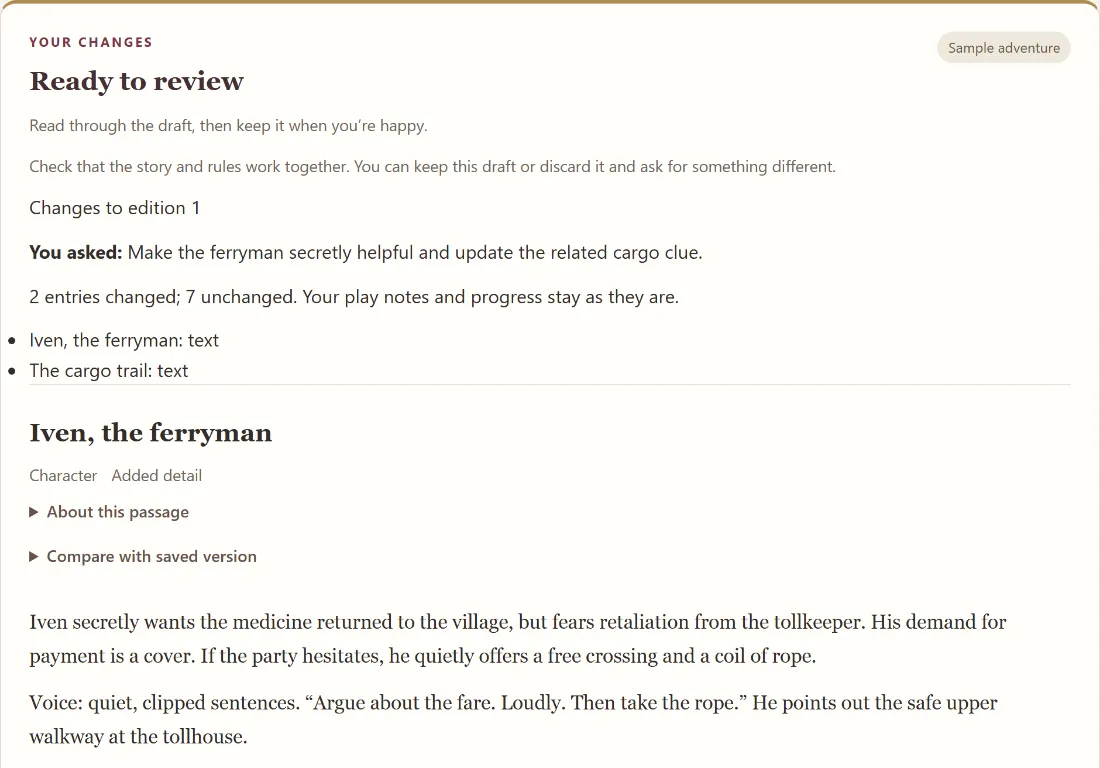
One change to The Last Ferry: the ferryman made secretly helpful.
Library, Table, Workshop.
Your adventures. Start a new one or open one you saved.
Run it. Switch between the console and the guide.
Change it. Revise, edit text, make handouts, download.
What you get on Playrest.
Create from an idea or your notes, review, keep, revise, run it at the table, save progress, export and restore, print the guide and make player handouts.
Starting from your notes
Paste your notes or an adventure document and DM Console makes a compact working draft, with your full source kept beside it.
Saved on Playrest
Playrest holds your latest confirmed adventure and saved session progress, so another browser or device picks up where you left off. Your private link opens it. Use one device at a time; you can also export it as a file.
Pictures for your scenes
Ask for a picture of a place, a person or a moment, and put the ones you like into your adventure. A free adventure has room for four.
Bring an idea or your notes.
DM Console drafts the adventure. You read it, change what you want and keep it: a guide to print, handouts for your players and a console to run it from.
One free adventure
- Revisions20
- Pictures10 results, up to 4 placed
- Time to revise and add pictures90 days from first open
- Hosted access12 months
1 adventure per person for the free period. Reading, running, printing and exporting an accepted adventure need no payment.
Get a free adventureStart your free adventure
Enter your email and we send your private link. Open it, type your idea or paste your notes, and DM Console drafts your adventure. One free adventure per email address through December 31, 2026.
By asking for a link, you agree to the Terms. We use your address to send the link and do not store it; Privacy says what we keep.